Hierarchical vs Non-Hierarchical Taxonomies Explained
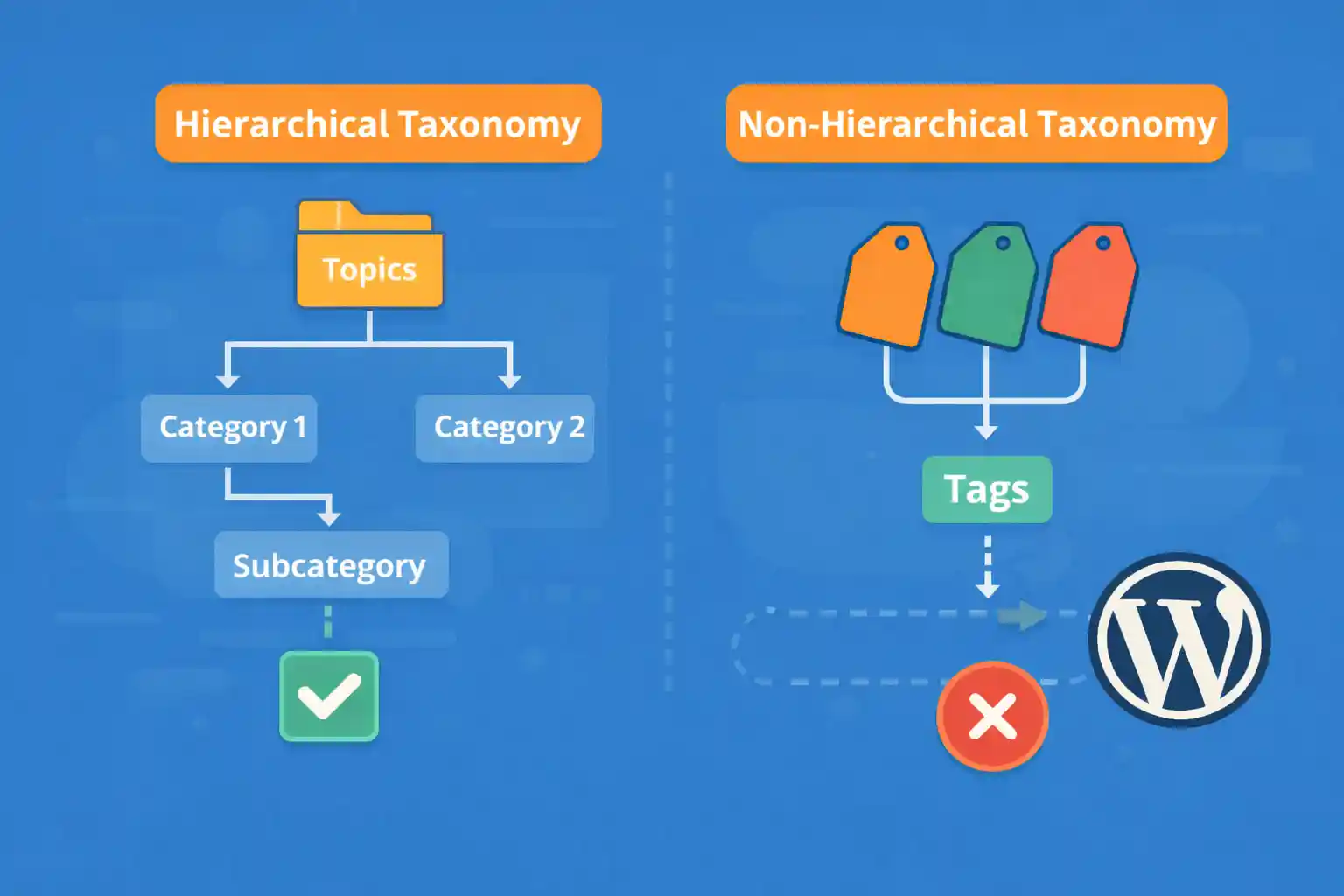
Hierarchical vs Non-Hierarchical Taxonomies Explained (WordPress)
Taxonomies are one of WordPress’s most important content-structuring tools. However, many site owners struggle with a basic question:
Should I use a hierarchical or non-hierarchical taxonomy?
This article explains the difference in clear terms, shows when to use each type, and helps you choose the right structure for SEO, usability, and long-term maintenance.
What Is a Taxonomy in WordPress?
A taxonomy is a way to group content. WordPress ships with two default taxonomies:
- Categories → hierarchical
- Tags → non-hierarchical
You can also create custom taxonomies for Custom Post Types (CPTs).
Hierarchical Taxonomies (Like Categories)
A hierarchical taxonomy allows parent–child relationships between terms.
Example structure:
- Tutorials
- Beginner
- Advanced
Key Characteristics
- Terms can have parents and children
- Displayed as checkboxes in the admin UI
- Ideal for structured, broad-to-narrow classification
Common Use Cases
- Blog categories
- Product categories
- Documentation sections
- Location-based structures (Country → City)
Non-Hierarchical Taxonomies (Like Tags)
A non-hierarchical taxonomy has no parent–child relationship. Each term exists independently.
Example structure:
- SEO
- Performance
- Security
- Accessibility
Key Characteristics
- Flat structure (no nesting)
- Displayed as a tag-style input field
- Designed for descriptive labels, not structure
Common Use Cases
- Topics and concepts
- Features or attributes
- Keywords for filtering/search
- Loose cross-cutting labels
Admin UI Differences (Why This Matters)
The taxonomy type directly affects how editors interact with content.
Hierarchical UI
- Checkbox list
- Clear visual structure
- Harder to accidentally create duplicates
Non-Hierarchical UI
- Free-text input
- Autocomplete suggestions
- Easier to create similar or duplicate terms
Tip: If you have non-technical editors, hierarchical taxonomies are often safer.
SEO Implications
Both taxonomy types can be SEO-friendly — if used correctly.
Hierarchical Taxonomies and SEO
- Create clear content silos
- Improve internal linking structure
- Often used as primary archive pages
Non-Hierarchical Taxonomies and SEO
- Can explode into many thin archive pages
- Require careful indexing control
- Best used sparingly and intentionally
Best practice: Index hierarchical taxonomies by default. Be selective with non-hierarchical taxonomy archives.
When to Use Hierarchical Taxonomies
- You need clear parent–child relationships
- Terms represent sections of your site
- Content naturally fits into a tree structure
- You want predictable navigation and breadcrumbs
Examples:
- Documentation → Guides → API
- Products → Laptops → Gaming
- Services → Consulting → WordPress
When to Use Non-Hierarchical Taxonomies
- You’re labeling content, not structuring it
- Terms overlap across multiple sections
- You want flexible filtering options
Examples:
- “Beginner-friendly”
- “No plugin”
- “Core Web Vitals”
Registering Each Type (Code Example)
Hierarchical Taxonomy
register_taxonomy( 'topic', 'post', array(
  'label'        => 'Topics',
  'hierarchical' => true,
  'show_in_rest' => true,
) );
Non-Hierarchical Taxonomy
register_taxonomy( 'feature', 'post', array(
  'label'        => 'Features',
  'hierarchical' => false,
  'show_in_rest' => true,
) );
Can You Mix Both? (Yes — and You Should)
Most mature WordPress sites use both:
- Hierarchical taxonomies for structure
- Non-hierarchical taxonomies for attributes
This keeps your content organized without becoming rigid.
Common Mistakes to Avoid
- Using tags as categories
- Creating deep hierarchy when it’s not needed
- Indexing hundreds of low-value tag archives
- Letting editors freely create tags without guidelines
Quick Decision Guide
- Is this a section of my site? → Hierarchical
- Is this just a label or attribute? → Non-hierarchical
- Will this appear in navigation? → Hierarchical
- Is it used for filtering/search? → Non-hierarchical
Conclusion
Hierarchical and non-hierarchical taxonomies serve different purposes. Choosing the right one early prevents SEO issues, simplifies editing, and makes your WordPress site easier to scale.
Key takeaway:
Use hierarchical taxonomies for structure, and non-hierarchical taxonomies for flexible labeling.
🎨 Want to learn more? Visit our WordPress Customization Hub for tips and advanced techniques.


















