WP_Query vs pre_get_posts: When to Use Each
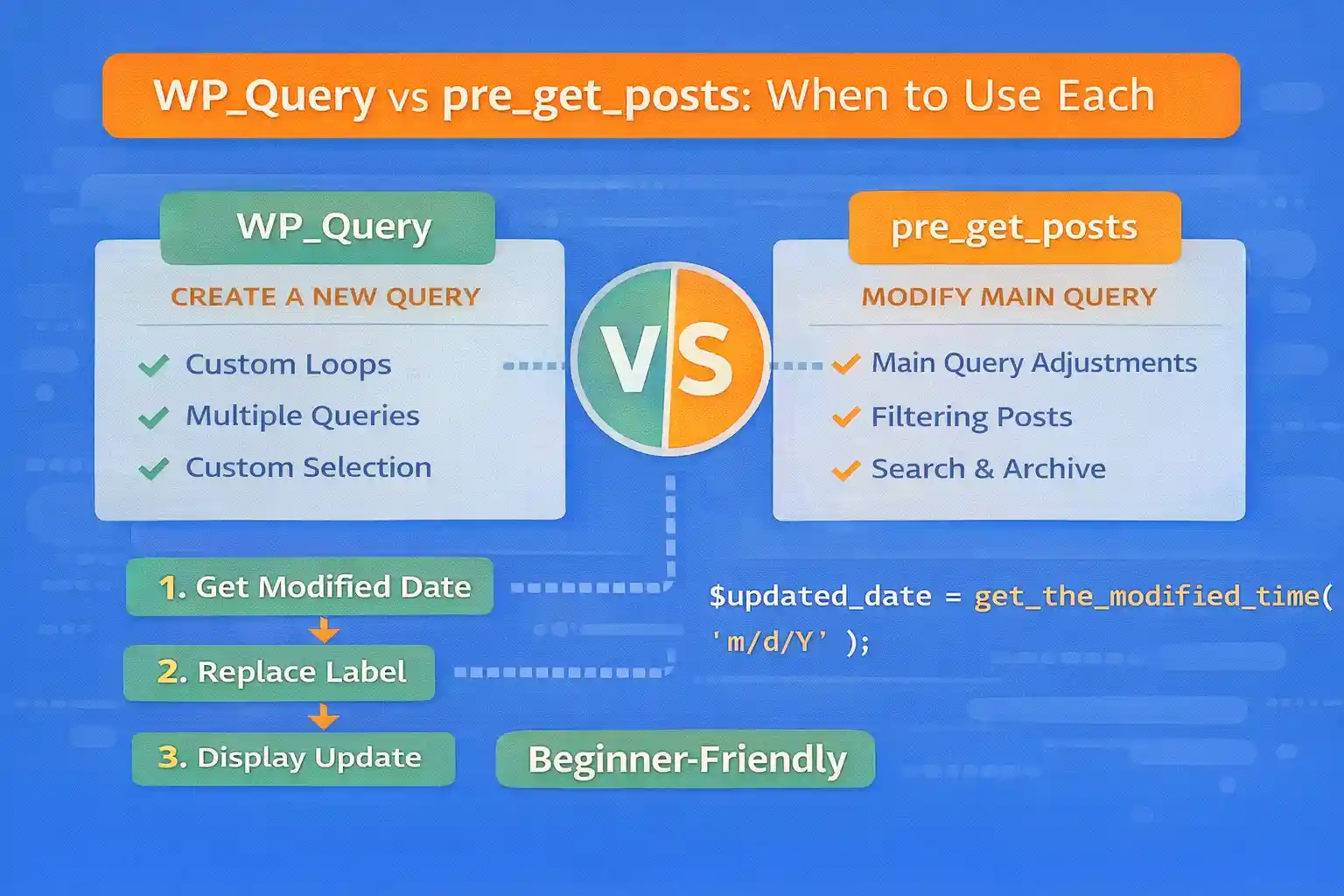
In WordPress, you can change which posts are displayed in two common ways:
- WP_Query: Create a custom query wherever you need it
- pre_get_posts: Modify the main query before WordPress runs it
Both are valid, but choosing the wrong one can cause broken pagination, unexpected template behavior, or hard-to-debug query side effects. This guide explains when to use each approach and shows practical patterns you can copy.
What WP_Query Is Best For
WP_Query is best when you want an additional, isolated list of posts that does not replace the current page’s main loop.
Use WP_Query When You Need a Secondary Loop
- “Related posts” under a single post
- “Latest posts” in a sidebar
- Featured posts in a hero section
- Custom grids built inside a page template
- Shortcodes or blocks that output a post list
Example: Related Posts Query
<?php
$related = new WP_Query( array(
  'post_type'      => 'post',
  'posts_per_page' => 4,
  'post__not_in'   => array( get_the_ID() ),
  'orderby'        => 'date',
  'order'          => 'DESC',
) );

if ( $related->have_posts() ) :
?>

  <div class="related-posts">
    <h2>Related Posts</h2>

    <?php while ( $related->have_posts() ) : $related->the_post(); ?>
      <article>
        <a href="<?php the_permalink(); ?>"><?php the_title(); ?></a>
      </article>
    <?php endwhile; ?>
  </div>

<?php
endif;

wp_reset_postdata();
?>
Important: Always call wp_reset_postdata() after a custom loop.
What pre_get_posts Is Best For
pre_get_posts is best when you want to change what the current page is “about” by modifying the main query. This is how you safely alter archives, search results, and other built-in query contexts without hacking templates.
Use pre_get_posts When You Want to Modify the Main Query
- Change sorting on a CPT archive
- Exclude categories from the blog archive
- Filter search results (post types, meta queries, tax queries)
- Adjust posts per page for a specific archive
- Implement custom “index” behavior for a section
Example: Sort an Event Archive by a Custom Date Field
add_action( 'pre_get_posts', function( $query ) {

  if ( is_admin() || ! $query->is_main_query() ) {
    return;
  }

  if ( is_post_type_archive( 'event' ) ) {
    $query->set( 'meta_key', 'event_date' );
    $query->set( 'orderby', 'meta_value' );
    $query->set( 'order', 'ASC' );

    $query->set( 'meta_query', array(
      array(
        'key'     => 'event_date',
        'compare' => 'EXISTS',
      ),
    ) );
  }

} );
This keeps pagination and archive templates working naturally.
How to Decide: A Practical Rule
- Use WP_Query when you need an extra list of posts inside a page or template.
- Use pre_get_posts when you want to change what WordPress is already querying (main loop).
A good sanity check:
- If you want to change what the page URL represents (archive/search/index) →
pre_get_posts - If you want to add a “widget-like” list somewhere →
WP_Query
Pagination: The Biggest Gotcha
This is where many implementations break.
WP_Query Pagination Works Only If You Handle paged
If you paginate a custom query, you must pass paged:
$paged = max( 1, get_query_var( 'paged' ) );

$q = new WP_Query( array(
  'post_type'      => 'post',
  'posts_per_page' => 10,
  'paged'          => $paged,
) );
But on most normal archive pages, the main query already handles pagination automatically — which is why pre_get_posts is usually better for archives.
Performance: Which Is Faster?
It depends on how you use them.
pre_get_postsdoes not automatically add queries — it only modifies the main one.WP_Queryalways adds an extra database query (because it is an additional loop).
If you only need one list of posts on a page (the main loop), it’s usually cleaner to use pre_get_posts rather than running a second query.
Maintainability: Where the Logic Should Live
WP_Query Logic Lives Close to the Output
This is good when a query is specific to one component (like a “Related Posts” block).
pre_get_posts Logic Lives Globally
This is good when the behavior should always apply to a certain context (like “all event archives are sorted by event_date”).
Warning: Because it’s global, sloppy pre_get_posts code can accidentally affect other pages. Always guard it with checks:
is_admin()$query->is_main_query()- Specific conditional tags like
is_search(),is_post_type_archive(), etc.
Common Mistakes to Avoid
Running WP_Query Instead of Using the Main Loop
On archives, people often do this inside templates and then wonder why pagination breaks. If you’re changing an archive, prefer pre_get_posts.
Forgetting wp_reset_postdata()
If you run a custom loop and don’t reset, functions like the_title() may output the wrong data later.
Over-modifying Queries in pre_get_posts
Don’t modify every query. Keep your conditions tight.
Real-World Scenarios
Scenario: “Latest Posts” on the Home Page
Use WP_Query (secondary loop) unless that page is the blog index and the main loop already does it.
Scenario: “Events Archive Should Sort by Event Date”
Use pre_get_posts (main query behavior).
Scenario: “Search Across Posts + CPT + Custom Fields”
Use pre_get_posts because search results are the main query and you want built-in pagination.
Scenario: “Related Posts Under an Article”
Use WP_Query because it’s a component inside the single template.
Conclusion
WP_Query and pre_get_posts solve different problems. Use WP_Query for extra, isolated lists of posts. Use pre_get_posts when you want to modify the main query and keep WordPress’s URL-to-template behavior and pagination intact.
Key takeaway:
If it’s the page’s main content, use pre_get_posts. If it’s an additional post list inside a page, use WP_Query.
🎨 Want to learn more? Visit our WordPress Customization Hub for tips and advanced techniques.


















